
For organizers
Keep your event on track
Review coverage, update plans, assign volunteers, and export your list.
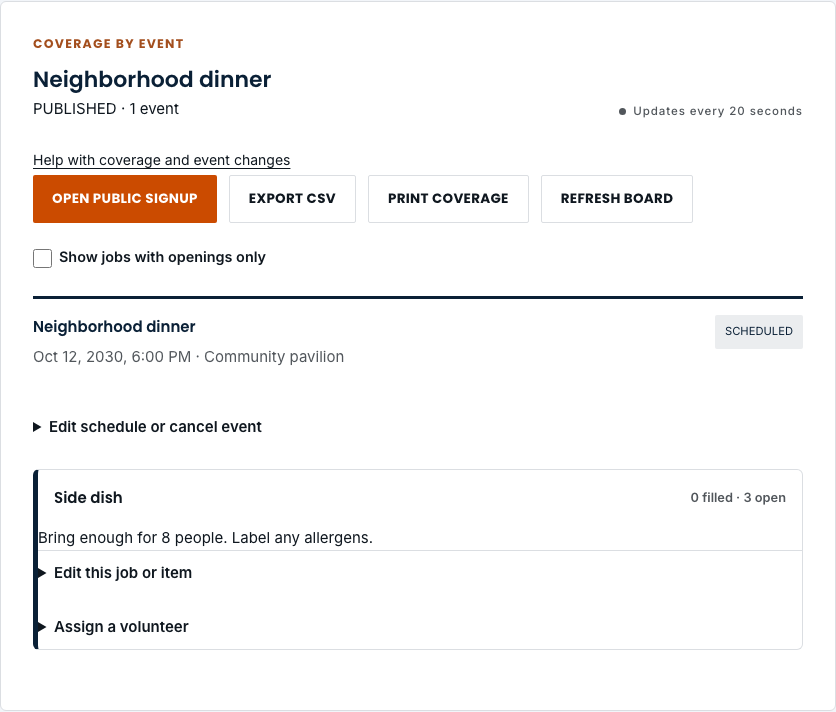
See what is covered
- Choose Organize and open a signup from your workspace list. The coverage board shows each event’s jobs, filled places, openings, and participant statuses.
- Select Show jobs with openings only to focus on gaps. Use Refresh board if you need to check the latest changes.
- Choose Export CSV to download coverage, or Print coverage for a paper copy.
Update a job or assign a volunteer
- Under the job for the correct event, open Edit this job or item. Change its name, quantity, or instructions, then choose Save job changes. Quantity cannot be reduced below the number of confirmed places.
- To add someone who has agreed to help, open Assign a volunteer, enter their name and email, and choose Assign volunteer. For items, you can also note what they will bring.
- To release someone’s active commitment, choose Release next to their name. This takes effect immediately, so check the person and event first.
Change a time or location
- Find the event and open Edit schedule or cancel event.
- Update the title, start and end times, or location. Times use the zone shown in the form. Choose Save event changes.
- Saved event changes notify volunteers. If another organizer has edited the same event, refresh the board and review their changes before trying again.
Cancel an event
- Open Edit schedule or cancel event on the event you want to cancel.
- Check Cancel this event and notify volunteers, then choose Save event changes. The event remains in your records and stops accepting new signups.
- Check the CANCELLED status on the board. This control cannot reopen a cancelled event, so review the event and date before saving.